
Cubasis 3 - DAW & Music Studio
In-app purchases

4.6star
4.36K reviewsinfo

USK: All ages
info
10K+
Downloads




About this app
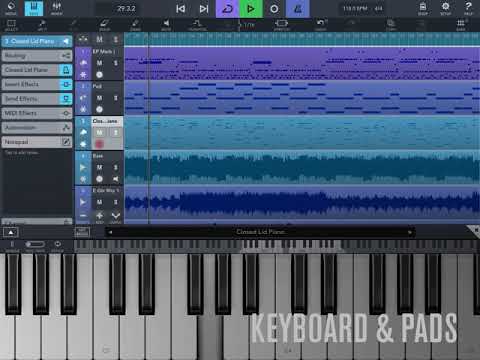
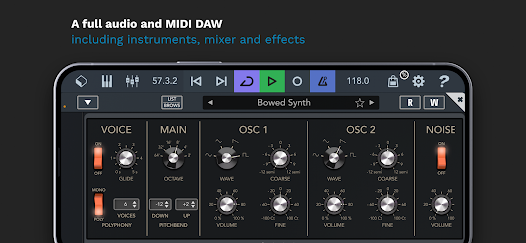
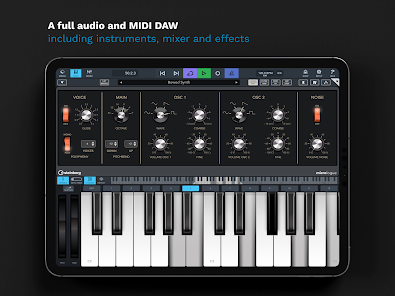
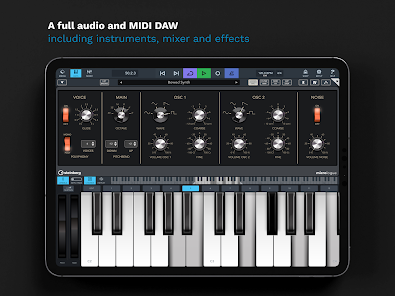
Cubasis 3 is a multi-award winning mobile DAW and full music production studio. Use instruments, mixer and effects to quickly capture your musical ideas and turn them into professional-sounding songs. Easily record, mix, edit audio and make beats & loops - right there on your smartphone, tablet or Chromebook. Meet one of the fastest, most intuitive and complete audio and MIDI DAWs available on Android and Chrome OS today: Cubasis 3.
Cubasis 3 DAW at a glance:
• Full production studio & music maker app to create music & songs
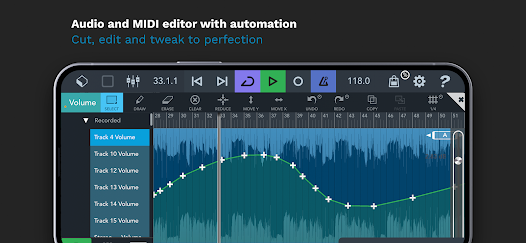
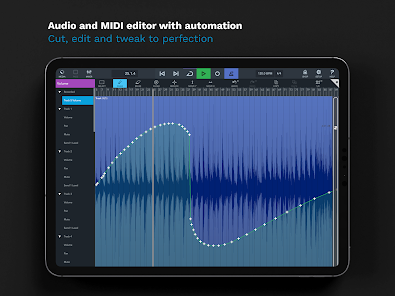
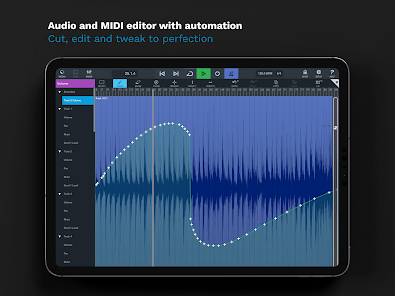
• Audio & MIDI editor and automation: cut, edit & tweak
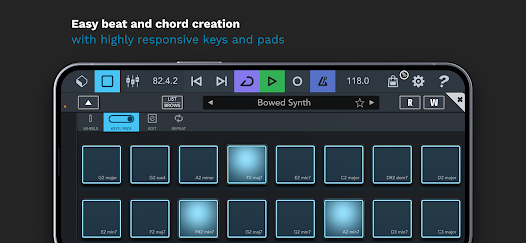
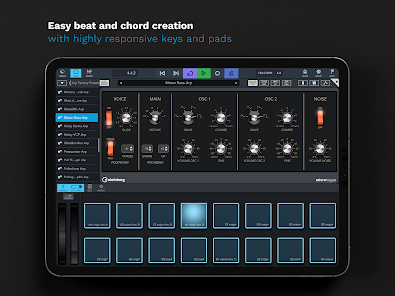
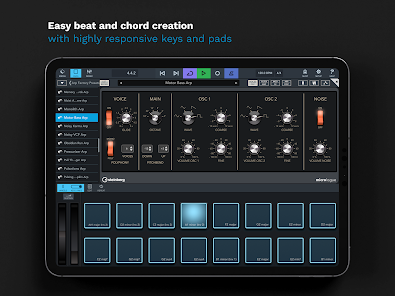
• Beat and chords creation with high responsive pads and keyboard
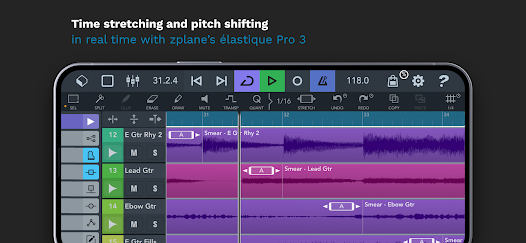
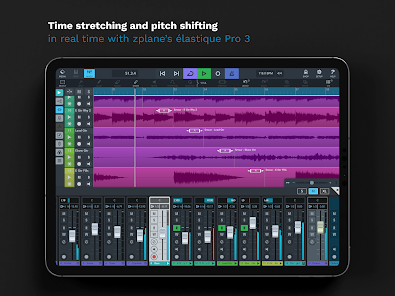
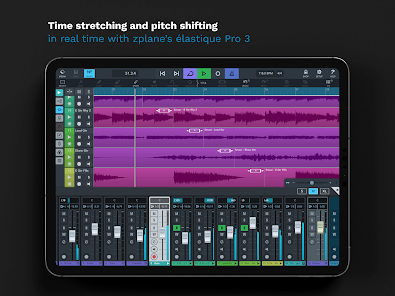
• Time-stretching & pitch-shifting in real-time
• Tempo and signature track support
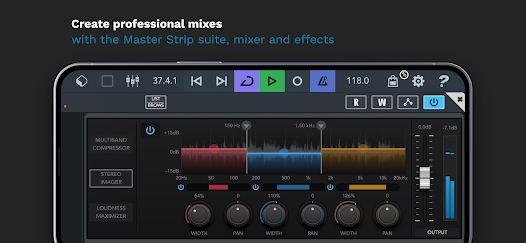
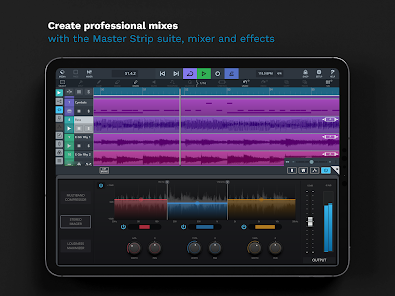
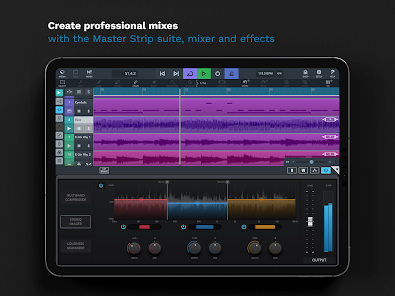
• Professional mixes with Master Strip Suite, pro-grade mixer & effects
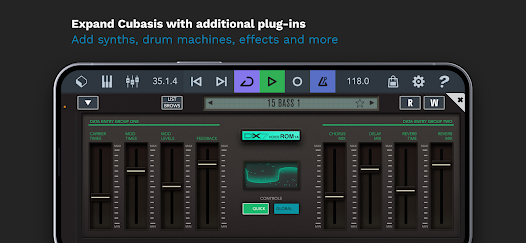
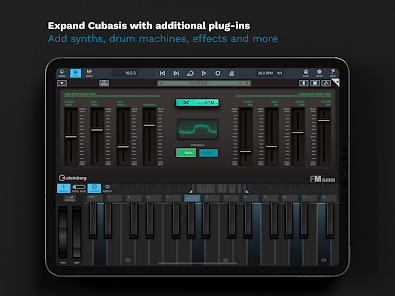
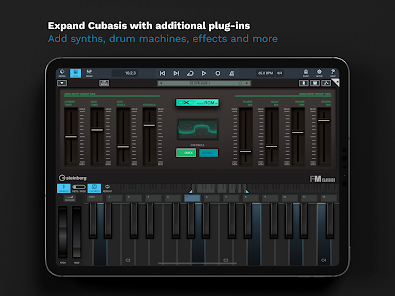
• Expand your studio with musical instruments & effects
• Connect Cubasis DAW with external gear and integrate third-party apps
HIGHLIGHTS
• Unlimited number of audio and MIDI tracks
• 32-bit floating-point audio engine
• Audio I/O resolution of up to 24-bit/48 kHz
• Real-time time-stretching and pitch-shifting with zplane’s élastique 3
• Micrologue virtual analog synthesizer with 126 ready-to-go presets
• MicroSonic with over 120 virtual instrument sounds, from acoustic piano to an array of drums
• MiniSampler to create your own instruments, including 20 factory instruments
• Mixer with studio-grade channel strip per track and 17 effects processors
• Sidechain support
• Master Strip plug-in suite with exceptional great effects
• Fully automatable, DJ-like Spin FX effect plug-in
• Over 550 MIDI and timestretch-capable audio loops
• Virtual keyboard with chord buttons, chord and drum pads with intuitive note repeat
• Audio editor and MIDI editor with MIDI CC support
• MIDI Learn, Mackie Control (MCU) and HUI protocol support
• MIDI auto quantize and time-stretch
• Track duplicate
• Automation, MIDI CC, program change and aftertouch support
• Audio and MIDI-compatible hardware supported*
• Keyboard shortcut and mouse support
• MIDI clock and MIDI thru support
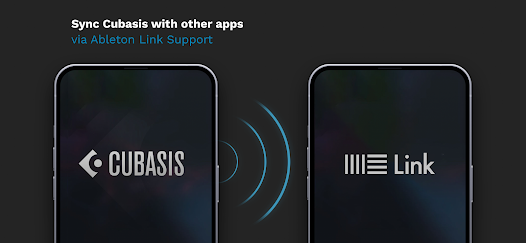
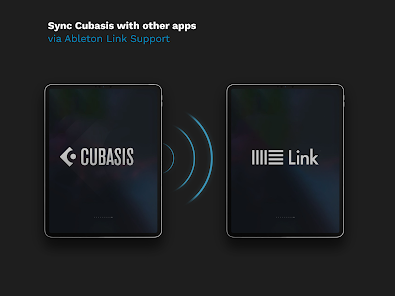
• Ableton Link Support
• Export to Cubase, Google Drive, external hard drives, wireless flash drives, Dropbox and more
ADDITIONAL PRO FEATURES
• A complete music production DAW on your smartphone, tablet and Chromebook
• Easily combine individual tracks to groups
• Precise audio and MIDI event editing at the highest studio level
• Eight insert and eight send effects
• Quickly rearrange plug-ins and change their pre/post fader position
• Undo with history list: Quickly jump back to earlier versions of your song
What the users say about Cubasis 3 Digital Audio Workstation:
“It's Steinberg so you already know it's great, but this is by far my favorite audio recording DAW for mobile to date.”
Chrissa C.
“Excellent mobile DAW for recording anything. I'm using it primarily to demo and sketch song ideas before I take them into the studio. The recordings of guitar and vocals sound better than you would expect. I could see someone making a whole record on their phone with this. Also the development team is very responsive to feedback and will help you resolve any issues very quickly. I've always had a hard time recording into DAWs on my computer and this app just makes it so much easier!”
Theo
Use Cubasis as a full professional DAW or music maker app anywhere you go. Edit, mix, create and enjoy a whole range of pro features in one music production app. Cubasis 3 is a complete DAW & music maker app on your mobile device, the most advanced tool for professional music creators. Make beats and songs like never before!
Learn more about the Cubasis music studio app at: www.steinberg.net/cubasis
Technical support: http://www.steinberg.net/cubasisforum
*Cubasis for Android offers limited audio and MIDI hardware support only.
Cubasis 3 DAW at a glance:
• Full production studio & music maker app to create music & songs
• Audio & MIDI editor and automation: cut, edit & tweak
• Beat and chords creation with high responsive pads and keyboard
• Time-stretching & pitch-shifting in real-time
• Tempo and signature track support
• Professional mixes with Master Strip Suite, pro-grade mixer & effects
• Expand your studio with musical instruments & effects
• Connect Cubasis DAW with external gear and integrate third-party apps
HIGHLIGHTS
• Unlimited number of audio and MIDI tracks
• 32-bit floating-point audio engine
• Audio I/O resolution of up to 24-bit/48 kHz
• Real-time time-stretching and pitch-shifting with zplane’s élastique 3
• Micrologue virtual analog synthesizer with 126 ready-to-go presets
• MicroSonic with over 120 virtual instrument sounds, from acoustic piano to an array of drums
• MiniSampler to create your own instruments, including 20 factory instruments
• Mixer with studio-grade channel strip per track and 17 effects processors
• Sidechain support
• Master Strip plug-in suite with exceptional great effects
• Fully automatable, DJ-like Spin FX effect plug-in
• Over 550 MIDI and timestretch-capable audio loops
• Virtual keyboard with chord buttons, chord and drum pads with intuitive note repeat
• Audio editor and MIDI editor with MIDI CC support
• MIDI Learn, Mackie Control (MCU) and HUI protocol support
• MIDI auto quantize and time-stretch
• Track duplicate
• Automation, MIDI CC, program change and aftertouch support
• Audio and MIDI-compatible hardware supported*
• Keyboard shortcut and mouse support
• MIDI clock and MIDI thru support
• Ableton Link Support
• Export to Cubase, Google Drive, external hard drives, wireless flash drives, Dropbox and more
ADDITIONAL PRO FEATURES
• A complete music production DAW on your smartphone, tablet and Chromebook
• Easily combine individual tracks to groups
• Precise audio and MIDI event editing at the highest studio level
• Eight insert and eight send effects
• Quickly rearrange plug-ins and change their pre/post fader position
• Undo with history list: Quickly jump back to earlier versions of your song
What the users say about Cubasis 3 Digital Audio Workstation:
“It's Steinberg so you already know it's great, but this is by far my favorite audio recording DAW for mobile to date.”
Chrissa C.
“Excellent mobile DAW for recording anything. I'm using it primarily to demo and sketch song ideas before I take them into the studio. The recordings of guitar and vocals sound better than you would expect. I could see someone making a whole record on their phone with this. Also the development team is very responsive to feedback and will help you resolve any issues very quickly. I've always had a hard time recording into DAWs on my computer and this app just makes it so much easier!”
Theo
Use Cubasis as a full professional DAW or music maker app anywhere you go. Edit, mix, create and enjoy a whole range of pro features in one music production app. Cubasis 3 is a complete DAW & music maker app on your mobile device, the most advanced tool for professional music creators. Make beats and songs like never before!
Learn more about the Cubasis music studio app at: www.steinberg.net/cubasis
Technical support: http://www.steinberg.net/cubasisforum
*Cubasis for Android offers limited audio and MIDI hardware support only.
Updated on
Safety starts with understanding how developers collect and share your data. Data privacy and security practices may vary based on your use, region, and age. The developer provided this information and may update it over time.

No data shared with third parties
Learn more about how developers declare sharing

No data collected
Learn more about how developers declare collection
Ratings and reviews
4.7
3.09K reviews

daveyinthevalley daveyinthevalley
- Flag inappropriate
May 2, 2026
This is one very good programme for your music especially if your on a small budget. I use the the word programme because its more than just an app its genuinely that good, Its a learning curve at first,it just requires a little creative patience, and having the right connections that conect to your phone for your midi. Just take each specific task your trying to unlock and learn at your own pace.Over the next few days as you learn about how to use it becomes a creative joy to discover and use.
1 person found this review helpful
Steinberg Media Technologies GmbH
May 5, 2026
Hi daveyinthevalley daveyinthevalley, big thanks for your kind review and rating! We are very glad to read that you seem to enjoy using Cubasis so far! And we do our best to make it better! Stay safe and thanks again! Warm greetings, Lars

Om Taowi
- Flag inappropriate
February 28, 2026
I really want to give it a higher review, but the fact that you can't access the mixedown files without exporting them to a 3rd party to then have to download them from that 3rd party is a huge workflow nightmare. If FL mobile can do it so can Cubasis, the question becomes why are they deliberately making it so difficult. It's a completely different experience on an apple device. It's a huge missed opportunity for Steinburg.
7 people found this review helpful
Steinberg Media Technologies GmbH
March 3, 2026
Hi Om, thanks for your review and rating! Cubasis aims to keep things simple and focused on music creation. On Android, some processes differ from iOS. Please check the MediaBay chapter in the help (https://www.steinberg.help/r/cubasis/3.8/en/cubasis/topics/mediabay_android_storage_location_r.html) to learn more about file handling. Best, Lars

Luuta
- Flag inappropriate
- Show review history
March 8, 2026
Three years ago, I wrote: "Hoping that future updates eventually make it a lot easier to use and a lot more rewarding." And it is much more rewarding, but still overpriced. I really wish it was more intuitive, too, as the time it takes to find the tool I want to use is stupid, but then I've always had a bad memory. Maybe a few pop-ups on the controls to identify them more easily would help, although i still think users have to take a few steps to do things where one would be preferable.
41 people found this review helpful
Steinberg Media Technologies GmbH
August 2, 2021
Hi Luuta, Thank you for your Cubasis review and rating. Please give our Getting started tutorial a try, to see if it helps to get familiar with Cubasis more quickly: https://youtu.be/KcFuk4z-eUQ. Stay safe and sound & best wishes, Lars
What’s new
∙ Bass Amp – Iconic amps and effects for powerful bass tones.
∙ Amp Rack – Legendary guitar amps and effects for dialed-in tone.
∙ Tuner – Fast, precise tuning.
∙ Verve IAP – Emotional felt piano tones with rich detail and texture.
∙ Etude IAP – World-class grand piano sound with depth, clarity and expressive detail.
∙ Improvements – Smoother workflow and further refinements.
Find out more at steinberg.net/cubasisforum
If you enjoy Cubasis please rate us on Google Play.
∙ Amp Rack – Legendary guitar amps and effects for dialed-in tone.
∙ Tuner – Fast, precise tuning.
∙ Verve IAP – Emotional felt piano tones with rich detail and texture.
∙ Etude IAP – World-class grand piano sound with depth, clarity and expressive detail.
∙ Improvements – Smoother workflow and further refinements.
Find out more at steinberg.net/cubasisforum
If you enjoy Cubasis please rate us on Google Play.
App support
phone
Phone number
+4940210350
About the developer
Steinberg Media Technologies GmbH
it@steinberg.de
Beim Strohhause 31
20097 Hamburg
Germany
+49 172 3803393


